Steps to Assign IAM Role to Call Azure AI Foundry using OAuth2 Client-Credentials.
Here are the exact steps to assign your App Registration the correct IAM role so it can call Azure AI Foundry using OAuth2 client-credentials.
This is the only permissions step you must do for Foundry.
Step 1: Identify the resource to assign permissions to
You must assign the IAM role at the level of the Azure AI (Foundry) resource itself.
For example, my resource is named "chilkat".
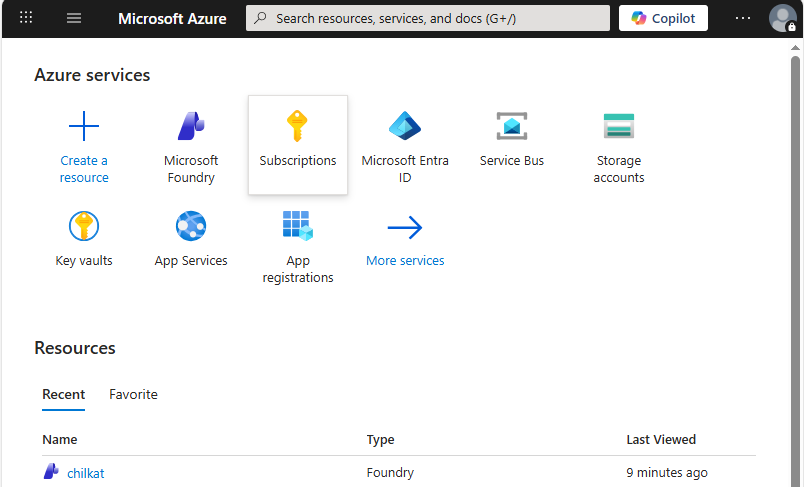
Step 2: Open the resource in Azure Portal
Once you open the resource:
- In the left menu, click Access control (IAM)
- Click the + Add button
- Choose Add role assignment
Step 3: Select the correct role
You must choose one of these roles depending on your desired access:
Recommended for Most Users
Azure AI Developer
- Allows model inference
- Allows accessing Foundry deployments
- Works perfectly for server-to-server authentication
Works too (more general):
Azure AI User
- Allows invoking Cognitive Services / AI models
- Least privilege that still works for inference
Step 4: Assign the App Registration as the principal
After selecting the role:
- On “Members” tab → click + Select members
- In the search box, type the name of your App Registration
- Select it from the list
- Click Select
- Click Review + assign
- Click Review + assign again to confirm
Your App Registration now has IAM access
It can authenticate via client credentials
It can call Foundry APIs using a Bearer token
Important: No API permissions required in App Registration
You do NOT add:
- Microsoft Graph permissions
- Cognitive Services permissions
- Application scopes
- Delegated permissions
- Expose an API settings
- Nothing inside “API permissions” at all
Only the IAM role assignment is required.
Step 5: Test that the permissions work
Use Chilkat to request the OAuth2 token:
scope = https://cognitiveservices.azure.com/.default
Then call your Foundry endpoint:
POST https://{your-hub-or-workspace}.models.ai.azure.com/inference/v1/chat/completions
Authorization: Bearer {access_token}
If the IAM role is missing or incorrect, you will get:
- 401 Unauthorized
- Or a message like: "The provided access token is not valid for this resource"
If the IAM role is correct, you get normal responses.