Barcode & QR Code Generation
Formats.Barcode / Formats.QrCode
Generate QR codes as PNG or SVG with full control over encoding, size, colors, captions and output — from one JSON-driven method that is identical in every Chilkat-supported programming language.
The class
Two methods, one JSON vocabulary
The Formats class is a collection of data-format operations (it is not string, number or date formatting). Its first members generate barcodes. Each method takes an operation name, a request JSON object and an output JSON object that receives the response.
public bool Barcode(string op, JsonObject jsonIn, JsonObject jsonOut);
public bool QrCode(string op, JsonObject jsonIn, JsonObject jsonOut);
▩ QrCode
The convenience entry point for QR codes. The request's symbology defaults to "qr", so the smallest request is just a payload: { "payload": { "text": "hello" } }.
▤ Barcode
The general entry point for every implemented symbology. The request must name the symbology. In v11.7.0 the only available symbology is "qr"; other identifiers are recognized but reported as unavailable, so code written against Barcode picks up new symbologies without API changes.
Identical requests to Barcode and QrCode produce identical results. Both methods return true when the operation completed successfully. On failure the method returns false, the response holds a single errors[0] entry with a code, a JSON Pointer path into the request and a message, and LastErrorText contains the diagnostic log.
Operations
The op argument
The first argument selects the operation. It is exact and case-sensitive.
| op | What it does | Details |
|---|---|---|
generate | Encodes the payload, lays out the symbol and renders a PNG or SVG. Returns symbols[], measurements[] and outputs[]. | Encoding, Rendering, Output |
measure | Runs encoding and layout only (no image). Reports whether the symbol fits the constraints and its exact pixel geometry, so an application can plan sizes before rendering. | Measure |
validate | Examines a request without producing output: is the definition admissible, does the payload fit the selected QR version, does the layout fit? Returns validationStatus, findings[] and checks[]. | Validate |
capabilities | Describes what this build of Chilkat implements: symbologies, operations, payload types, image formats, limits. | Capabilities |
Operations defined by the design but not yet implemented (read, detect, extract, replace, analyze, buildPayload, parse, batch) fail with unsupportedFeature; unknown operation names fail with invalidEnum.
Quick start
Generate a QR code
The request is an ordinary JsonObject. Build it with UpdateString/UpdateInt/UpdateBool (dotted paths create the nested objects), or load it from a JSON string. The response is read back the same way.
// Generate a QR code PNG and get it as base64
Chilkat.JsonObject jsonIn = new Chilkat.JsonObject();
jsonIn.UpdateString("payload.text", "https://www.chilkatsoft.com");
jsonIn.UpdateInt("render.moduleSize", 6);

Chilkat.JsonObject jsonOut = new Chilkat.JsonObject();
Chilkat.Formats fmt = new Chilkat.Formats();
bool success = fmt.QrCode("generate", jsonIn, jsonOut);
if (!success) {
    Console.WriteLine(jsonOut.StringOf("errors[0].code") + ": " + jsonOut.StringOf("errors[0].message"));
    Console.WriteLine(fmt.LastErrorText);
    return;
}

// outputs[0].base64 holds the PNG bytes
Chilkat.BinData png = new Chilkat.BinData();
png.AppendEncoded(jsonOut.StringOf("outputs[0].base64"), "base64");
png.WriteFile("qr.png");
Console.WriteLine("version " + jsonOut.IntOf("symbols[0].selectedEncoding.version")
+ ", " + jsonOut.IntOf("outputs[0].width") + " x " + jsonOut.IntOf("outputs[0].height") + " px");// Generate a QR code PNG and get it as base64
CkJsonObject jsonIn;
jsonIn.UpdateString("payload.text", "https://www.chilkatsoft.com");
jsonIn.UpdateInt("render.moduleSize", 6);
CkJsonObject jsonOut;
CkFormats fmt;
bool success = fmt.QrCode("generate", jsonIn, jsonOut);
if (!success) {
std::cout << jsonOut.stringOf("errors[0].code") << ": " << jsonOut.stringOf("errors[0].message") << "\r\n";
std::cout << fmt.lastErrorText() << "\r\n";
return;
}
// outputs[0].base64 holds the PNG bytes
CkBinData png;
png.AppendEncoded(jsonOut.stringOf("outputs[0].base64"), "base64");
png.WriteFile("qr.png");
std::cout << "version " << jsonOut.IntOf("symbols[0].selectedEncoding.version")
<< ", " << jsonOut.IntOf("outputs[0].width") << " x " << jsonOut.IntOf("outputs[0].height") << " px\r\n";import chilkat2
# Generate a QR code PNG and get it as base64
jsonIn = chilkat2.JsonObject()
jsonIn.UpdateString("payload.text", "https://www.chilkatsoft.com")
jsonIn.UpdateInt("render.moduleSize", 6)
jsonOut = chilkat2.JsonObject()
fmt = chilkat2.Formats()
success = fmt.QrCode("generate", jsonIn, jsonOut)
if not success:
print(jsonOut.StringOf("errors[0].code") + ": " + jsonOut.StringOf("errors[0].message"))
print(fmt.LastErrorText)
exit()
# outputs[0].base64 holds the PNG bytes
png = chilkat2.BinData()
png.AppendEncoded(jsonOut.StringOf("outputs[0].base64"), "base64")
png.WriteFile("qr.png")
print("version", jsonOut.IntOf("symbols[0].selectedEncoding.version"),
jsonOut.IntOf("outputs[0].width"), "x", jsonOut.IntOf("outputs[0].height"), "px")Formats, have the same methods and the same JSON requests in every supported language: C, C++, C#, VB.NET, Java, Objective-C, Swift, Python, PHP, Perl, Ruby, Node.js, Electron, React Native, Dart / Flutter, Go, Rust, Zig, Delphi, C++Builder, Free Pascal / Lazarus, Classic ASP, VB6, VBScript, FoxPro, DataFlex, PowerBuilder, Xojo, Xbase++, PureBasic, AutoIt, B4A / B4J, LabVIEW, SQL Server and Tcl. See Chilkat Downloads for Every Language.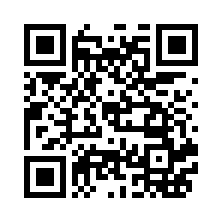
https://www.chilkatsoft.com, version 3, error-correction M, 6 px modules, standard 4-module quiet zone — 222 × 222 px.The request, as JSON
The same request written out. Everything not mentioned takes its default (PNG, base64 return, level M, automatic version and mask, black on white).
{
  "payload": { "text": "https://www.chilkatsoft.com" },
  "render":  { "moduleSize": 6 }
}
The response
Every response carries errors[] and warnings[]. A successful generate adds the encoded symbol(s), the measurements and the outputs:
{
  "symbols": [
    {
      "symbology": "qr",
      "selectedEncoding": { "version": 3, "errorCorrection": "M", "mask": 2, "mode": "byte" },
      "dimensions": { "modulesWide": 29, "modulesHigh": 29,
                      "quietZoneLeft": 4, "quietZoneTop": 4, "quietZoneRight": 4, "quietZoneBottom": 4 },
      "payloadBytes": 27
    }
  ],
  "fits": true,
  "measurements": [
    { "index": 0, "fits": true, "units": "px", "dpi": 300, "pitch": 6, "requestedPitch": 6,
      "pitchAdjusted": false, "moduleSize": 6, "canvasWidth": 222, "canvasHeight": 222, "rotation": 0,
      "symbolX": 24, "symbolY": 24, "symbolWidth": 174, "symbolHeight": 174,
      "quietZonePx": { "left": 24, "top": 24, "right": 24, "bottom": 24 }, "paddingPx": 0, "textBandPx": 0 }
  ],
  "outputs": [
    { "index": 0, "format": "png", "mimeType": "image/png", "width": 222, "height": 222,
      "units": "px", "byteCount": 889, "base64": "iVBORw0KGgoAAAANSUhEUgAAAN4AAADe..." }
  ],
  "verification": { "state": "notRun" },
  "errors": [],
  "warnings": []
}
A failed request
Requests are checked fail-fast: the first problem is the whole result. The path is a JSON Pointer into your request, so the offending member is unambiguous.
{
  "errors": [
    { "code": "outOfRange", "path": "/encoding/qr/version", "message": "version must be 1..40" }
  ],
  "warnings": []
}
Request anatomy
The request object
A request is made of a few top-level groups. Unknown members anywhere are rejected (unknownOption) rather than ignored, which catches typos immediately.
| Group | Purpose | Documented on |
|---|---|---|
symbology | Which barcode to make. Required for Barcode; defaults to "qr" for QrCode. | Payloads & QR Encoding |
payload | What to encode: UTF-8 text or binary bytes (base64). | Payloads & QR Encoding |
encoding | How to encode it: QR version, error correction, mask, mode, ECI, structured append. | Payloads & QR Encoding |
render | How it looks: module size, units/DPI, quiet zone, padding, rotation, colors, caption text, size limits. | Rendering & Layout |
output | What you get back: PNG or SVG, base64 / text / files, module data, a reusable definition. | Output |
limits | Safety limits: timeoutMs and maxPixels. | Limits |
targetvalidation | validate only: what to examine and how deeply. | Validate |
{
  "payload":  { "text": "ORDER-12345" },
  "encoding": { "qr": { "errorCorrection": "Q", "minVersion": 2 } },
  "render":   { "units": "mm", "moduleSize": 0.5, "dpi": 300, "rotation": 90,
                "foreground": "#083e7d", "background": "#ffffff",
                "text": { "enabled": true, "value": "ORDER-12345" } },
  "output":   { "format": "svg", "return": "none", "path": "/tmp/order-12345.svg", "overwrite": true },
  "limits":   { "timeoutMs": 5000 }
}
What is implemented
v11.7.0 at a glance
QR Code (Model 2)
Versions 1–40, error-correction levels L/M/Q/H, all eight masks, automatic or explicit version and mask, numeric/alphanumeric/byte modes, ECI, structured append (up to 16 symbols).
Encoding options →Rendering
Integer-pixel modules, px/mm/in/pt units with DPI, quiet zone, padding, 0/90/180/270° rotation, solid colors with opacity, caption text, max width/height with shrink-to-fit.
Rendering options →Output
PNG (8-bit gray, RGB or RGBA) or SVG; returned inline as base64 or text, or written to files — including numbered file sets for structured append. Optional module bit-matrix and reusable definition.
Output options →Measure before rendering
measure reports the exact pixel geometry and whether constraints are met, without producing an image.
Validate & capabilities
validate checks a request's definition, capacity and layout; capabilities tells you what the installed build supports.
Strict, predictable errors
Every rejection has a stable code and the JSON Pointer of the offending member. Limits on time and pixel count protect the host application.
unsupportedFeature or optionNotApplicable rather than producing something unexpected.Gallery
A few of the things one request can express