Rendering & Layout
render
Module size and physical units, quiet zone and padding, rotation, colors and opacity, caption text, and size constraints with shrink-to-fit.
How layout works
Modules become pixels
A QR symbol is a grid of square modules. Chilkat draws every module as an exact integer number of pixels (the pitch), which is what makes the result crisp and reliably readable. Around the symbol comes the quiet zone (in modules), then optional padding and an optional caption band; the whole canvas can then be rotated by a quarter turn. PNG and SVG are produced from the same rectangle list, so both formats have identical geometry.
1. Pitch
moduleSize (in units) is converted to pixels with dpi and rounded to the nearest integer ≥ 1. The result is reported as measurements[0].pitch, with pitchAdjusted telling you whether rounding changed anything.
2. Canvas
symbol modules + quiet zone, times the pitch, plus padding and the caption band. Reported as canvasWidth/canvasHeight (after rotation) and, for physical units, physicalWidth/physicalHeight.
3. Constraints
maxWidth, maxHeight and limits.maxPixels are checked against the rotated canvas. A symbol that does not fit is a noFit error for generate and a fits: false report for measure.
Module size and units
Pixels or physical units
| Member | Values | Default | Notes |
|---|---|---|---|
render.units | "px" · "mm" · "in" · "pt" | "px" | The unit of moduleSize, padding, maxWidth, maxHeight and minModuleSize. |
render.moduleSize | > 0 | 4 (px) | Size of one module in units. Rounded to an integer pixel pitch. |
render.dpi | 1–9600 | 300 | Converts physical units to pixels. Also written into the PNG (pHYs) so image viewers and printers know the intended size. |
render.requireExactPitch | bool | false | When true, a moduleSize that does not round exactly to an integer pixel pitch is a no-fit (pitchAdjusted) instead of being rounded. |
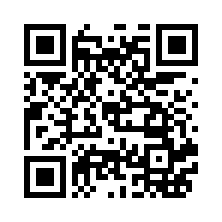
"units": "mm", "moduleSize": 0.5, "dpi": 300: 0.5 mm at 300 dpi is 5.9 px, rounded to a 6-px pitch; the canvas is 222 px = 18.796 mm.{ "payload": { "text": "https://www.chilkatsoft.com" },
"render": { "units": "mm", "moduleSize": 0.5, "dpi": 300 } }{ "index": 0, "fits": true, "units": "mm", "dpi": 300, "pitch": 6, "requestedPitch": 5.905512, "pitchAdjusted": true,
"moduleSize": 0.508, "canvasWidth": 222, "canvasHeight": 222, "physicalWidth": 18.796, "physicalHeight": 18.796, ... }moduleSize 0.508 mm here) can differ slightly from what you asked for. Read it from measurements[] rather than assuming the request value, or set requireExactPitch if the difference is not acceptable.Quiet zone and padding
Space around the symbol
The quiet zone is the blank margin readers need; the QR standard requires 4 modules on each side, which is the default. Padding is additional space outside the quiet zone, measured in units.
| Member | Values | Default | Notes |
|---|---|---|---|
render.quietZone | "standard" or { "left", "top", "right", "bottom" } in modules (each 4–100) | "standard" (4) | Values below the standard 4 are rejected with outOfRange: a smaller quiet zone makes symbols unreadable. |
render.padding | ≥ 0, in units | 0 | Extra margin outside the quiet zone, e.g. to leave room for a border or to center the symbol in a fixed box. |


"quietZone": { "left": 10, "top": 10, "right": 10, "bottom": 10 }.
"padding": 20 px outside the standard quiet zone.{ "payload": { "text": "https://www.chilkatsoft.com" },
"render": { "moduleSize": 5, "quietZone": { "left": 10, "top": 10, "right": 10, "bottom": 10 }, "padding": 8 } }Rotation
Quarter turns
render.rotation accepts 0, 90, 180 or 270 (degrees, clockwise). The entire canvas rotates — quiet zone, padding and caption included — and canvasWidth/canvasHeight describe the rotated result. Other angles are rejected (invalidEnum).
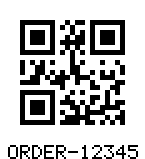
"rotation": 0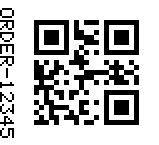
"rotation": 90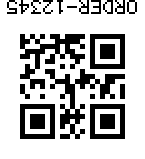
"rotation": 180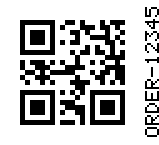
"rotation": 270{ "payload": { "text": "ORDER-12345" },
"render": { "moduleSize": 5, "rotation": 90, "text": { "enabled": true, "value": "ORDER-12345" } } }Colors
Foreground, background and opacity
A paint is either a "#RRGGBB" string or an object { "color": "#RRGGBB", "opacity": 0..1 }. The foreground paints the dark modules (and the caption); the background fills the whole canvas.
| Member | Values | Default | Notes |
|---|---|---|---|
render.foreground | paint | "#000000" | Keep it dark on a light background: readers need contrast, and most do not decode inverted symbols. |
render.background | paint | "#ffffff" | Opacity 0 gives a transparent background (PNG becomes RGBA; SVG omits the background rect). |

"foreground": "#0b63c4", "background": "#fff6e0"
"background": { "color": "#ffffff", "opacity": 0 } — transparent, shown over a checkerboard.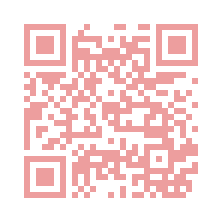
"foreground": { "color": "#d62828", "opacity": 0.45 } — translucent modules composited onto the white background.The PNG pixel format follows the paints: 8-bit grayscale when both paints are neutral (gray) and opaque, RGB when the background is opaque, RGBA when it is not. Translucent paints are composited with ordinary source-over alpha; SVG carries the same colors as fill and fill-opacity, so both formats look the same.
{ "payload": { "text": "https://www.chilkatsoft.com" },
  "render": { "moduleSize": 6, "foreground": "#083e7d", "background": { "color": "#ffffff", "opacity": 0 } } }
Caption text
Human-readable text under or over the symbol
A caption is drawn with a built-in 5×7 pixel font — no system fonts are used, so PNG and SVG captions are identical on every platform and the SVG needs no text elements. Each glyph cell is scaled by an integer factor.
| Member | Values | Default | Notes |
|---|---|---|---|
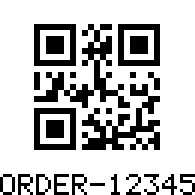
render.text.enabled | bool | false | Turns the caption on. |
render.text.value | printable ASCII, up to 256 bytes | — | The text to draw. QR has no built-in human-readable text, so an empty value draws nothing. Non-ASCII characters are rejected (outOfRange). |
render.text.position | "below" · "above" | "below" | |
render.text.scale | 1–64 | max(1, pitch / 2) | Integer scale of the 5×7 glyph cell. The band height is 7 × scale + gap pixels. |
render.text.gap | 0–1024 px | 0 | Space between the quiet zone and the caption. |
render.text.alignment | "center" · "left" · "right" | "center" | Relative to the symbol body. A caption wider than the symbol widens the canvas. |
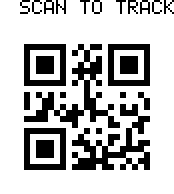
"position": "above", "scale": 2, "gap": 6, "alignment": "left"{ "payload": { "text": "ORDER-12345" },
"render": { "moduleSize": 6,
"text": { "enabled": true, "value": "SCAN TO TRACK", "position": "above", "scale": 2, "gap": 6, "alignment": "left" } } }The caption band is reported as measurements[0].textBandPx, with the text and scale used in measurements[0].text / textScale.
Size constraints
maxWidth, maxHeight and shrink-to-fit
Give the maximum canvas size the symbol may occupy. By default ("sizing": "fixed") a symbol that exceeds it is a no-fit. With "sizing": "shrinkToFit" the pitch is reduced, one pixel at a time, until the canvas fits — but never below minModuleSize.
| Member | Values | Default | Notes |
|---|---|---|---|
render.maxWidthrender.maxHeight | > 0, in units | none | Applied to the rotated canvas including quiet zone, padding and caption. |
render.sizing | "fixed" · "shrinkToFit" | "fixed" | shrinkToFit requires minModuleSize. |
render.minModuleSize | > 0, in units | — | The smallest module the shrink may reach. Only valid with shrinkToFit, and must not exceed moduleSize. |
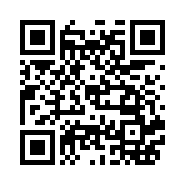
"moduleSize": 10, "maxWidth": 200, "sizing": "shrinkToFit", "minModuleSize": 2: a 10-px pitch would need 370 px, so the pitch shrinks to 5 px (185 px canvas).{ "payload": { "text": "https://www.chilkatsoft.com" },
"render": { "moduleSize": 10, "maxWidth": 200, "sizing": "shrinkToFit", "minModuleSize": 2 } }{ "pitch": 5, "requestedPitch": 10, "pitchAdjusted": true, "canvasWidth": 185, "canvasHeight": 185, ... }When nothing fits
generate fails with noFit at /render and names the reason in the message; measure succeeds with fits: false and a reasons[] entry so you can decide what to change.
| Reason | Meaning |
|---|---|
exceedsMaxWidthexceedsMaxHeight | The canvas is larger than the limit (after shrinking as far as allowed). |
minModuleSize | Shrinking reached minModuleSize and the canvas still does not fit. |
pitchZero | moduleSize is less than half a pixel at this DPI. |
pitchAdjusted | requireExactPitch is set and the module size does not round exactly. |
exceedsPixelLimit | The canvas area exceeds limits.maxPixels or a side exceeds 32,768 px. |
captionNotRenderable | The caption cannot be drawn within the constraints. |
Reserved options
Styling that is not yet available
These render members are part of the design and are accepted only with their default values; anything else is rejected so that no symbol is ever produced in an unintended style.
| Member | Accepted now | Reserved for |
|---|---|---|
render.qr.moduleShape | "square" | rounded, dot |
render.qr.finderStyle | "standard" | rounded, dot |
render.qr.logorender.qr.finderColor | — | Embedded logos and colored finder patterns (unsupportedFeature). |
render.barHeightrender.barWidthAdjustmentrender.bearerBars | — | Linear symbologies (optionNotApplicable / unsupportedFeature for QR). |